

Add your product
Import an accessible product URL, choose saved media, or write a brief.
Product creative preparation and review
Organise product information and approved images, choose an image or video workflow, and review saved creative projects before publishing.
How it works
Import an accessible product URL, choose saved media, or write a brief.
Pick an image or video workflow and describe the selling point you want to test.
Check the generated creative, then save approved assets for your next campaign.
BeforeHunting for references and competitor ideas
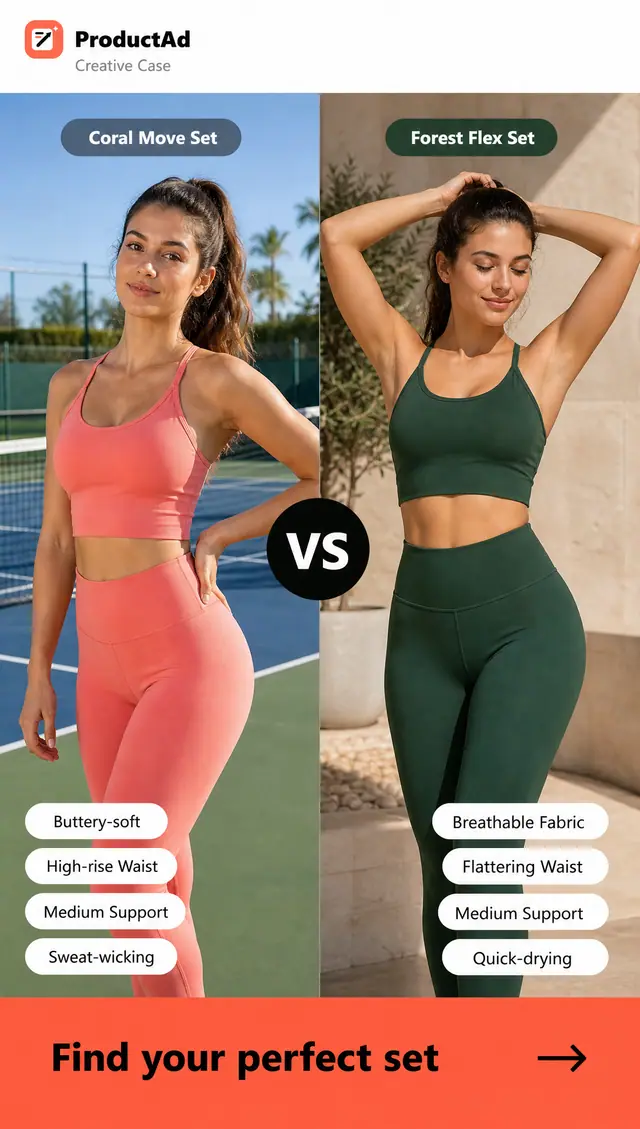
With ProductAdGenerate creator-style concepts from your product page
BeforeWriting hooks and offers from a blank page
With ProductAdCreate branded ads from ready-made templates
BeforeWaiting on creators, editors, and designers
With ProductAdProduce polished creative without the handoffs
BeforeResizing the same concept for every channel
With ProductAdAdapt winning concepts across every channel
BeforeLaunching with too little creative variation
With ProductAdLaunch more variations and learn faster
Video ads
Use a product image and focused brief, then inspect the complete generated video.
Prepare a product image and brief, then review the settings and cost of the available video workflow.
Make a videoDescribe the scene you need. A showcase presenter does not establish avatar selection or lip-sync availability.
Prepare a video briefState the audience, benefit, scene and permitted offer before starting a video request.
Review the workflowChoose an available template and review how the product and message appear in the generated result.
Review templatesCreate multiple opening hooks and closing CTAs so every campaign has stronger testing options.
Generate hooksInspect product appearance, movement and text before saving an approved output. External editing may be needed.
Review a projectPrepare your product information, choose an available workflow, and review the result before publishing. Generation does not launch an advertising campaign.
Start with ProductAdImage ads
Generate polished image ads, headlines, offers, and CTAs so your team can launch more variations.
Use approved product images and a clear creative brief. Inspect each generated result before use.
Create image adsChoose a template appropriate for the product and message. A template is not evidence of advertising performance.
Browse templatesSpecify the product benefit, permitted offer and next step. Check any generated text for accuracy.
Prepare a briefKeep the product, offer, proof, and next action easy to understand at a glance.
Create variationsKeep product information and generated projects organised. Use only the editing controls actually available in the selected workflow.
Review projectsReuse a saved product with a different brief or available workflow. Check the cost of each request.
Explore variationsPrepare your product information, choose an available workflow, and review the result before publishing. Generation does not launch an advertising campaign.
Start with ProductAdCreative planning
Use saved product information to prepare your next brief. Manage media buying and campaign measurement separately.
Turn product information into campaign angles, audience hypotheses, and a practical testing plan.
Plan a campaignDescribe the customer situation and buying motivation. This is creative planning, not automatic ad-account targeting.
Prepare audience notesUse your own campaign findings to guide the next brief. No automatic campaign optimisation is promised.
Plan a creative testKeep briefs, assets, experiments, and next steps connected instead of scattered across tools.
Open your workspaceReview saved creative projects. Advertising-account reporting and performance analysis are separate activities.
Review projectsPrepare your product information, choose an available workflow, and review the result before publishing. Generation does not launch an advertising campaign.
Start with ProductAdIllustrative briefs—not customer testimonials, measured outcomes or verified input/output case studies.
Prepare an authorised product photo and one accurate product benefit. This is a planning example, not a measured customer result.
Describe a scene, the product details that must remain accurate and the viewer’s next step. No generated result or production cost is asserted by this example.
Check product accuracy, claims and rights before using any variation. Advertising performance must be measured separately.
Common questions
Find quick answers about creating ads, using product links, and choosing the right workflow.